Tired of downloading yet another travel app just to buy a data plan for a one-week trip? This article will help you to understand how GleeSim’s WhatsApp-only purchase flow actually works, why it exists in the first place, and what happens at each step from first message to working data. After developing a complete understanding, you can make a better decision on how you buy your next eSIM.
Most eSIM providers require an account, a password, and a dedicated app just to check a plan, adding friction most travelers do not want a week before a trip when they are already juggling packing lists and itineraries. GleeSim was built specifically around the idea that buying travel data should not require yet another login to remember.
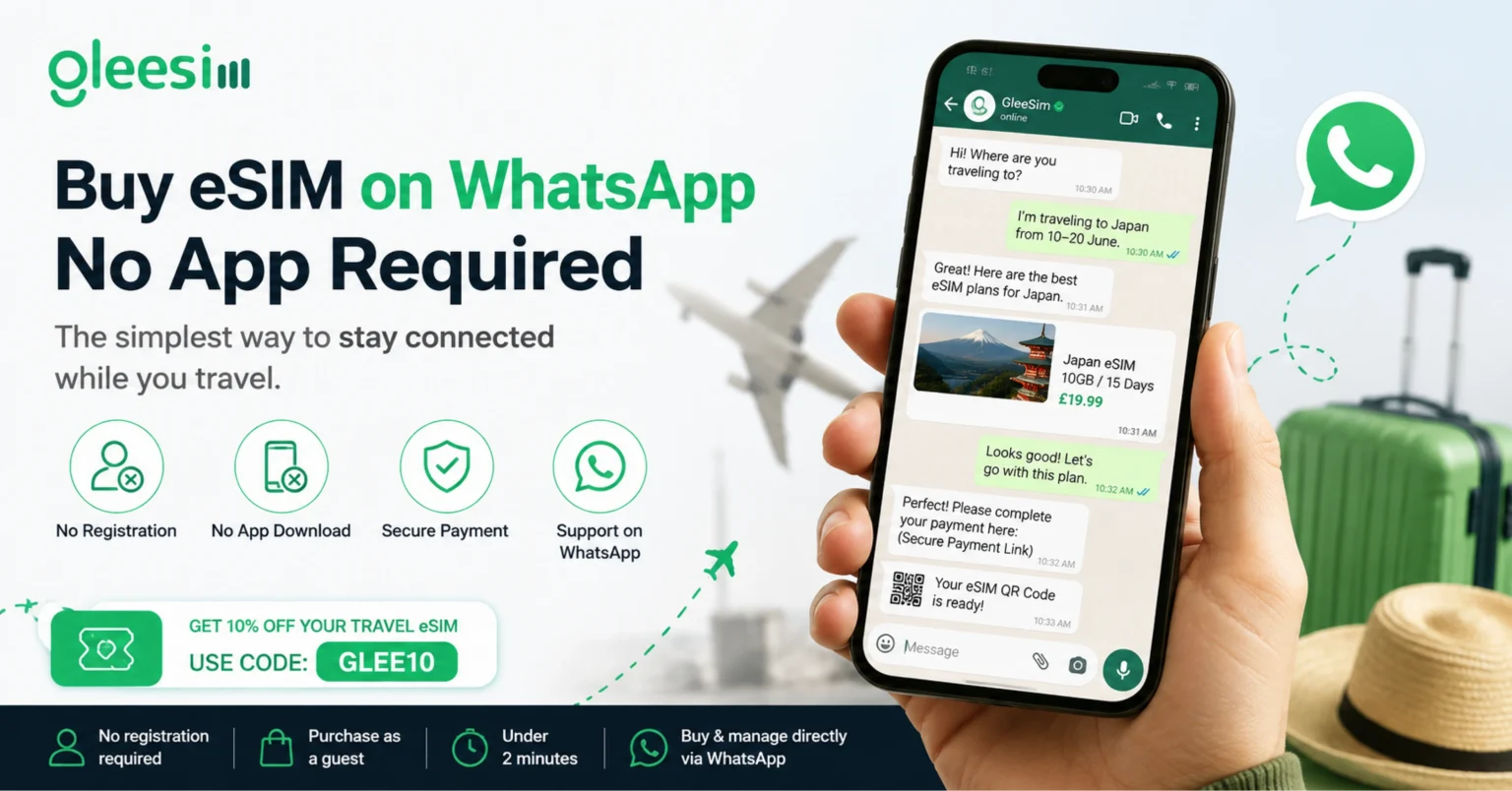
App-free activation: a purchase and setup flow completed entirely inside an existing messaging app, removing the need to download, register for, or log into a separate provider app before you can buy a plan.
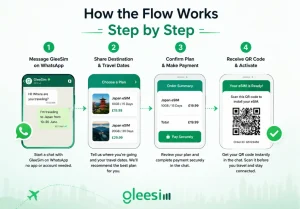
Because the entire transaction lives inside one WhatsApp thread, troubleshooting a setup issue means messaging the same conversation rather than opening a new support ticket and re-explaining your situation from scratch, which tends to resolve issues faster for time-sensitive travel problems.
| Step | What Happens | Typical Time |
| First message | Share destination and dates | Under a minute |
| Plan confirmation | Choose size, see pricing | 1 to 2 minutes |
| Payment | Confirm and pay in chat | 1 to 2 minutes |
| QR code delivery | Received in same thread | Immediate |
Is this actually secure without a dedicated app? Yes, the purchase happens over an encrypted WhatsApp conversation, and no extra account credentials are created or stored beyond what you already use for WhatsApp itself.
Does this work if I already use WhatsApp for personal messaging? Yes, it runs in the same app you already have open daily, no separate download or switching between apps mid-trip.
Can I use this if I have never bought an eSIM before? Yes, the guided WhatsApp conversation walks through each step, which many first-time eSIM buyers find simpler than navigating an unfamiliar app’s menus.
What payment methods are accepted through WhatsApp? Standard card payment is supported through the secure checkout link shared in the conversation, keeping payment details off the chat itself.
Can I save the QR code for later if I am not traveling for a few weeks? Yes, the QR code remains in your chat history, though most travelers activate closer to departure to align with their plan’s start date.
See it in action on the GleeSim WhatsApp page or start a chat and buy in under two minutes at offers.gleesim.com. Buy and manage directly via WhatsApp today.
Use code GLEE10 when purchasing via WhatsApp
No registration required Purchase as a guest Under 2 minutes Buy & manage directly via WhatsApp
Save 10% with GLEE10