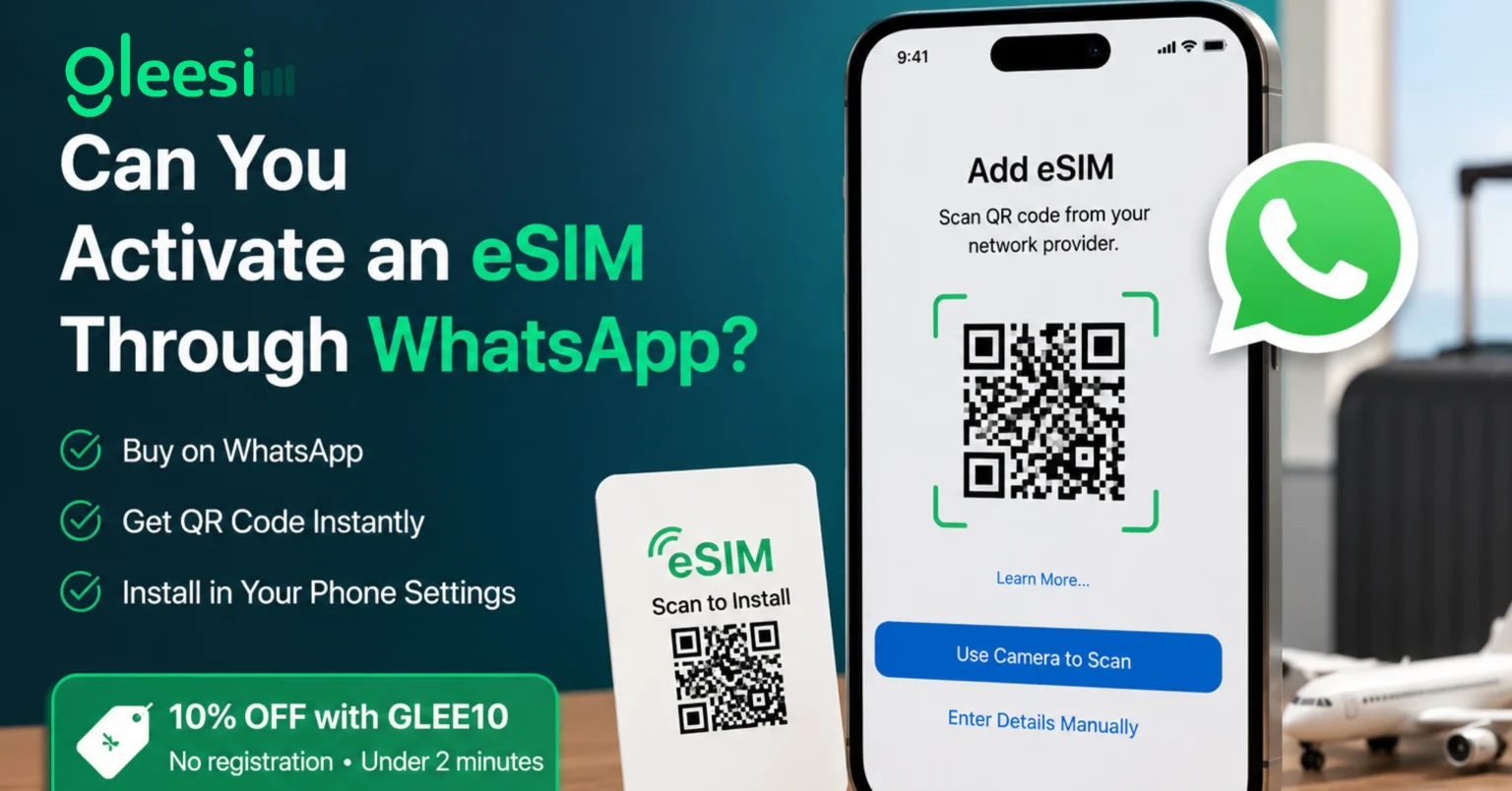
Yes, you can buy, receive, and manage a GleeSim travel eSIM entirely through WhatsApp, with the final installation step completing through your phone’s own settings menu the same way any eSIM installs regardless of provider. Here is exactly how the two parts of that process fit together, and where the common confusion around this question actually comes from.
Activation actually happens in two distinct parts, and understanding the difference clarifies exactly what role WhatsApp plays in the process. The first part, browsing plans, purchasing, and receiving your unique QR code, happens entirely inside a WhatsApp conversation with GleeSim, start to finish, with nothing else needed. The second part, installing that QR code onto your phone, happens through your device’s built-in cellular settings, a step that is identical across every eSIM provider regardless of how you purchased or which company issued the code.
QR activation: scanning a unique code with your phone’s camera to install a mobile network profile directly into your device’s settings, the universal final step of any eSIM activation, unrelated to the platform used to purchase it.
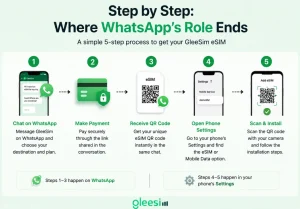
The first three steps happen in WhatsApp. The final two happen in your phone’s own settings, a step WhatsApp does not need to be involved in at all, and genuinely cannot be involved in given how the eSIM standard technically works.
Some travelers expect the entire process, including the final installation, to happen inside the WhatsApp app itself, since that is where they bought the plan and where the whole experience has felt seamless up to that point. In practice, no eSIM provider, GleeSim included, installs the actual network profile through a messaging app, because eSIM installation is a phone-level function tied to your device’s own operating system, not something any app can perform on your device’s behalf regardless of how it is built. What GleeSim removes is everything before that point, the account creation, the app download, the separate login, leaving only the one universal step every provider shares.
Most people asking this question have already seen GleeSim’s WhatsApp-based marketing and are simply trying to confirm whether “no app” really means “no app at all, including for the final step.” The honest answer is that the final step happens in your phone’s own settings for absolutely every eSIM provider on the market, GleeSim’s differentiator is removing every step before that one, not claiming to bypass a universal technical requirement that exists for good reason.
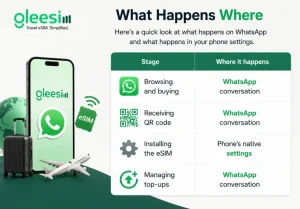
| Stage | Where it happens |
| Browsing and buying | WhatsApp conversation |
| Receiving QR code | WhatsApp conversation |
| Installing the eSIM | Phone’s native settings |
| Managing top-ups | WhatsApp conversation |
Do I need to keep the QR code inside WhatsApp to scan it, or can I save it elsewhere? You can scan it directly from the chat or save it as an image first, whichever is easier on your specific device and however you prefer to work with it.
Does GleeSim’s WhatsApp bot do the installation for me automatically? No, installation is a manual step completed through your phone’s own settings, WhatsApp’s role ends once you have the QR code in hand.
Is this different from how other eSIM providers work? The difference is what happens before installation, most other providers require their own app for browsing and purchasing, GleeSim uses WhatsApp for that same stage instead, the final installation step itself is the same across the industry.
Can I ask WhatsApp support questions after I’ve already installed the eSIM? Yes, the same conversation thread remains open for top-ups, questions, or troubleshooting throughout your trip, with no need to open a separate support channel.
What if scanning the QR code fails on my device? Message GleeSim on WhatsApp for the manual entry code as a backup, which works on devices where camera scanning has any issue, without needing to restart the whole purchase process.
Why can’t the installation step also happen inside WhatsApp if everything else does? eSIM installation requires direct access to your phone’s cellular hardware and settings, a level of system access that operates outside what any messaging app is built or permitted to do, this is a universal technical boundary, not a limitation specific to GleeSim.
See the full process on the GleeSim resources page or start at offers.gleesim.com.
Use code GLEE10 when purchasing via WhatsApp
No registration required Purchase as a guest Under 2 minutes Buy & manage directly via WhatsApp
Save 10% with GLEE10