São Paulo is one of Latin America’s biggest digital nomad hubs, but a long stay brings a different set of connectivity needs than a week long holiday. This guide will walk you through how to set up a connection that actually holds up for daily video calls, deadlines, and the unpredictable WiFi you’ll find in co-working spaces and apartments across the city.
A typical week long holiday plan is built around bursts of maps and social media use. A digital nomad’s daily routine looks completely different.
Video calls: A single hour long video call can use between 500 MB and 1.5 GB depending on quality settings, and most remote workers take several calls a week, not once a trip.
Cloud syncing: Uploading files to Google Drive or Dropbox in the background adds up quietly over weeks, not days, especially if you’re syncing large files like design assets or video content.
Backup connectivity: Co-working space WiFi in São Paulo is generally solid, but apartment WiFi installation delays are common for anyone renting short term, meaning your mobile data may be your only connection for the first week or two.
Software updates and app downloads: Working from a new device or setting up new tools locally can trigger large background downloads you wouldn’t normally account for on a short trip.
São Paulo’s digital nomad scene tends to cluster around a handful of neighborhoods, and each has slightly different practical considerations. Vila Madalena and Pinheiros are popular for their density of cafes and co-working spaces, generally with strong, consistent connectivity throughout. Itaim Bibi and Jardins skew more corporate and residential, with excellent infrastructure but fewer casual work-from-cafe spots. Whichever area you choose, mobile data as a backup matters most in the gap between arriving and your home or office WiFi being fully reliable, which in a large rental market like São Paulo’s can take longer than you’d expect if there’s any issue with the building’s existing setup.
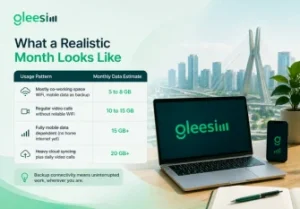
| Usage Pattern | Monthly Data Estimate |
| Mostly co-working space WiFi, mobile data as backup | 5 to 8 GB |
| Regular video calls without reliable WiFi | 10 to 15 GB |
| Fully mobile data dependent (no home internet yet) | 15 GB+ |
| Heavy cloud syncing plus daily video calls | 20 GB+ |
Backup connectivity, in a remote work context, means having a mobile data source that works independently of your home or office WiFi, so a router outage, a delayed internet installation, or a change in co-working space doesn’t stop your workday. For anyone whose income depends on being online during business hours, this isn’t a luxury, it’s part of the job, and it’s worth budgeting for the same way you’d budget for a reliable laptop or a good chair.
If you’re working with clients or colleagues outside Brazil, time zone planning becomes part of your daily connectivity routine. São Paulo sits in Brasília Time, which shifts relative to US and European time zones depending on daylight saving schedules on either end. Keeping a reliable connection during whatever window overlaps with your team’s working hours, even if that means early mornings or late evenings for you, is where a dependable backup connection matters most, since a dropped call during a critical overlap window is far more disruptive than one during your own flexible hours.

GleeSim’s Brazil 10GB 90 day plan was built for exactly this kind of stay: long enough to cover a full month or more in São Paulo, with enough data to serve as genuine backup connectivity rather than just an emergency fallback. And because the whole thing runs through WhatsApp, checking your remaining balance mid month takes seconds, no separate app to remember to open between client calls, no forgotten password for a dashboard you only log into once a month.
Since your first days in a new apartment are often the least connected, having your eSIM already active before you land removes one variable from an already busy moving week. Follow our activation guide to get set up in advance, so your first priority on arrival is finding your apartment, not finding a SIM shop.
Can I use my GleeSim eSIM as my main connection for client calls? Yes, a 10GB plan comfortably supports regular video calls if you’re also relying on WiFi for part of your usage. If you expect to be fully mobile data dependent for extended periods, plan to top up partway through the month.
Does GleeSim work well for hotspotting a laptop in São Paulo? Yes, most eSIM data plans support hotspotting, though heavy laptop use (video calls, large uploads) will draw down your data allowance faster than phone only use.
What happens if I need more data before my 90 days are up? Send a WhatsApp message to GleeSim support and we’ll add data to your active plan directly, no need to purchase an entirely new eSIM.
Which São Paulo neighborhoods have the best mobile coverage? Coverage across São Paulo’s central and western zones, including Vila Madalena, Pinheiros, Itaim Bibi, and Jardins, is consistently strong across Brazil’s major networks. Coverage in outer suburban areas can vary more, so it’s worth checking specifically if you’re staying further from the city center.
How do I plan around time zone overlaps with international clients? Identify your daily overlap window with your team’s working hours early, and treat that window as your highest priority connectivity time, since a dropped connection during a scheduled call carries more consequence than one during flexible solo work hours.
Is 90 days the longest plan GleeSim offers for Brazil? It’s currently the longest standard option for Brazil. If your stay runs longer, message GleeSim support on WhatsApp closer to your plan’s expiry to discuss extending or renewing.
Setting up for a longer stay in São Paulo? View GleeSim’s Brazil plans and pick the one that matches how you actually work.