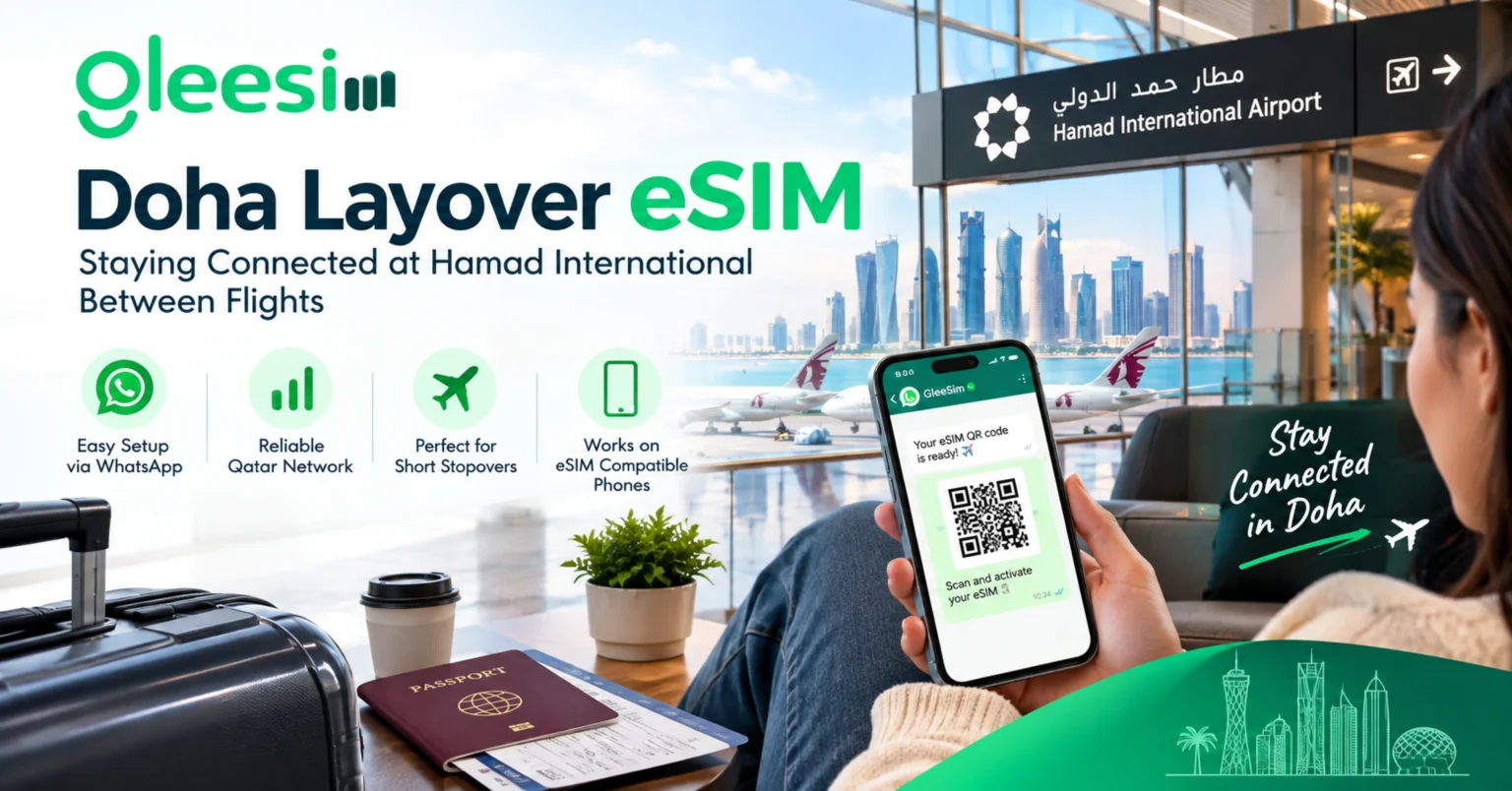
Is your Qatar Airways ticket sending you through Doha with eight, ten, or even eighteen hours to spend before your next flight? A Doha layover eSIM is a small, simple fix for a big problem: how do you stay online when your phone plan does not work in another country? This article will help you understand exactly how a Doha layover eSIM works, step by step, in plain and easy words. After reading it all the way through, you will know exactly what to do before you even pack your bag.
Hamad International Airport is one of the busiest airports in the world, and it hosts some of the longest layovers you will ever see on a flight ticket. Qatar Airways sends a huge number of its flights between Europe, Asia, and the Americas straight through this one airport. The airport does offer free WiFi, but it is not always reliable. It can slow down, cut out, or ask you to log in again and again. A working data connection on your own phone changes a long, boring wait into time you can actually use.
Think of an eSIM like a tiny, invisible SIM card that lives inside your phone instead of a small plastic chip you have to pop in and out. You do not touch it, you do not lose it, and you do not need any tools to use it. It works through a special code called a QR code, which looks like a small black and white square, similar to the codes you scan for a menu at a restaurant.
What is an eSIM, exactly? An eSIM (short for “embedded SIM”) is a digital SIM card built into modern phones. Instead of inserting a plastic card, you scan a QR code and the mobile plan installs itself. Most phones from the last few years, like iPhone 11 and newer or Samsung Galaxy S20 and newer, already have this feature built in.
Once the eSIM is installed, your phone can use it to connect to the internet in a new country, while your old phone number stays exactly the same on your main SIM card. Nothing about your regular number changes. You just gain a second, extra connection for data.
Airport WiFi sounds free and easy, but it often is not built to handle thousands of tired travelers all trying to use it at once. Big hub airports like Doha get especially busy when several huge planes land within the same hour. A dedicated eSIM keeps your phone connected to Ooredoo Qatar or Vodafone Qatar’s own network, which is a real mobile signal, not a shared WiFi hotspot that everyone else is fighting over too.
What is a transit eSIM? A transit eSIM is a data-only digital SIM made just for a short stopover or connection window, not a full holiday. It turns on the moment you land and can be set to stop automatically once your time is up, so it never gets mixed up with your home SIM card.
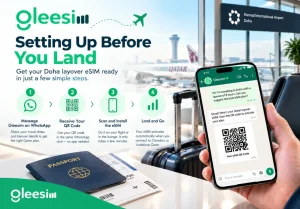
The single biggest mistake long-haul travelers make is waiting until they are already inside Hamad International before thinking about their phone. By then, it can be too late to set things up calmly. The good news is that setup takes only a few minutes, and you can do the whole thing before you even leave home, using the WiFi on your first flight if it has any.
Not every layover needs the same amount of data. A short two-hour stop is very different from a full day spent exploring Doha. Here is a simple way to think about how much data you actually need.
| Layover length | Typical use | Suggested data | Approx. price |
| 2 to 4 hours | Maps, messaging, boarding docs | 1 to 2GB | From $5.27 |
| 5 to 10 hours | Lounge work, video calls, Doha Quest, Souq Waqif visit | 3 to 5GB | Mid-tier plan |
| 10+ hours (transit hotel or city tour) | Full day of navigation, video, hotel check-in apps | 5 to 10GB | Higher-tier plan |
Every one of these plans is data-only, which simply means it gives you internet but not a new phone number. Your original number keeps working for calls and text messages on your primary SIM the whole time. WhatsApp text messaging works just fine on the Qatar network too. Voice calling over the mobile network in Qatar has some carrier-level limits, and this applies to every eSIM provider equally, not just Gleesim.
Sometimes plans change. Your flight gets delayed, or you decide on the spot to leave the airport for a quick look around Doha. Either way, you do not need to start from scratch and buy a brand new plan. A short WhatsApp message asking for more data adds a top-up straight onto your existing eSIM, and it usually kicks in within minutes. This kind of flexibility matters most for travelers whose long layover was not part of the original plan at all.
Not every Doha layover is about tourism. A large number of travelers turn a long stopover into a same-day business meeting near West Bay or Lusail before continuing their trip. If that sounds like you, the full Gleesim Qatar eSIM page has longer-stay plans, more detail on coverage across Doha’s business districts, and pricing built for multi-day visits rather than a single transit window.
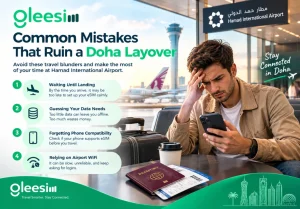
A few small mistakes can turn an easy layover into a stressful one. Knowing them ahead of time means you can skip them entirely.
You need some kind of internet connection just once, before you travel, so you can receive and install the QR code. After that one step, the eSIM turns on by itself the moment it detects the local network, with no WiFi needed again.
Most phones made after 2019, including iPhone 11 and newer and Samsung Galaxy S20 and newer, support eSIM. To check, look in your phone settings for something called “Add eSIM” or “Add Cellular Plan” before you leave home.
Yes, absolutely. Coverage across the whole of Hamad International is strong, so even a short, low-data plan is enough to keep you connected through security, immigration for transit visa holders, the lounges, and your gate.
Just send a message to Gleesim on WhatsApp, and a top-up or a longer plan gets added to the same eSIM right away. There is no need to start the whole setup over again.
A short stopover plan with 1 to 2GB of data starts from as little as $5.27, which is more than enough for maps, messages, and showing boarding documents during most layovers under ten hours long.
A long layover does not have to mean staring at four bars of shaky airport WiFi and typing your passport number into a login page every ninety minutes. Setting up a Doha eSIM before you fly turns unpredictable transit time into time you can actually use, whether that means a video call home, a couple of hours of quiet work, or exploring Hamad International’s own indoor theme park without ever losing signal.
Ready before your next connection through Doha? Message GLEE10 on WhatsApp for 10% off your Qatar eSIM plan, check live pricing on the Gleesim offers page, and get your QR code before you even board your first flight.