There’s a difference between an eSIM that happens to let you use WhatsApp abroad — which is true of literally any data eSIM — and an eSIM you buy, activate, and manage entirely from inside WhatsApp itself. Most travel eSIM content on the web is about the first kind. GleeSim built the second kind, and it’s worth being clear about what that actually means before you buy one.
Search around and you’ll find plenty of guides answering “does WhatsApp work with an eSIM?” The short answer is always yes — WhatsApp is tied to your phone number, not to whichever SIM or eSIM is supplying your data, so switching to any travel eSIM leaves your chats, contacts, and number untouched.
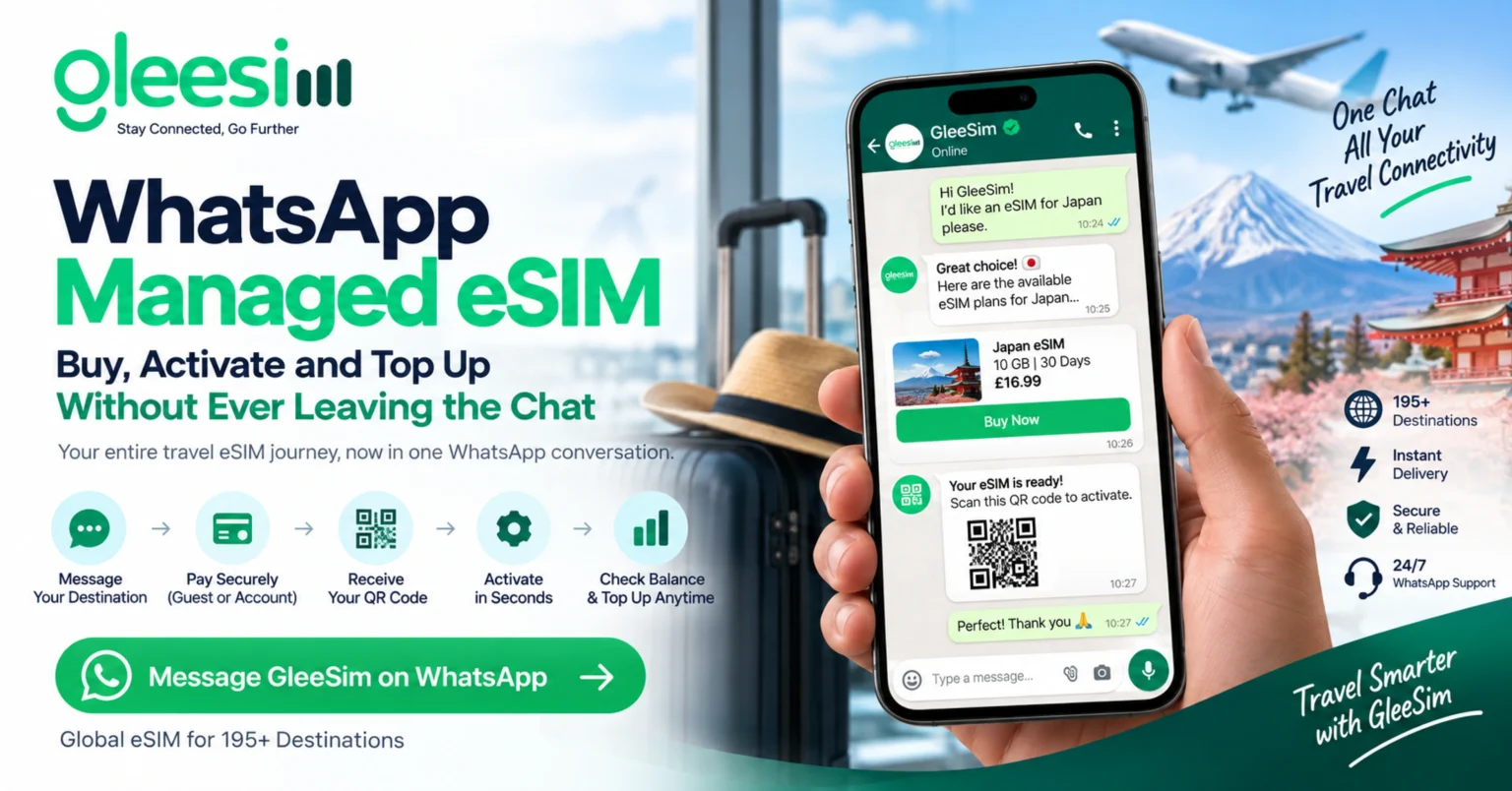
That’s a different question from GleeSim’s actual model, which is a WhatsApp managed eSIM: the provider delivers the QR code, activation steps, and customer support directly inside a WhatsApp conversation, rather than through a separate app or web dashboard. GleeSim isn’t just compatible with WhatsApp — WhatsApp is the interface for the whole product.
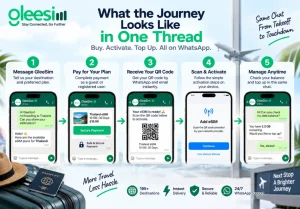
Full activation steps, including platform-specific settings, are on GleeSim’s activation guide.
The reasoning is mostly about where travelers already are. WhatsApp had roughly 3.3 billion monthly active users as of early 2026 and remains the dominant messaging platform outside a small number of markets, according to industry usage data compiled by Infobip. Very few travelers need to learn a new interface to use it — which matters more than it might sound for something you’ll only touch a handful of times per trip.
It also collapses purchase, delivery, and support into a single history you can scroll back through, instead of splitting them across an app, an email inbox, and a support ticket queue.
Running low on data doesn’t mean hunting for a login. You send a message, get an answer, and top up the same way you bought the plan. Common questions — like whether you can reuse an eSIM for a later destination, or what happens if your data runs out — are covered on the GleeSim FAQ page, but most travelers just ask directly in the chat.
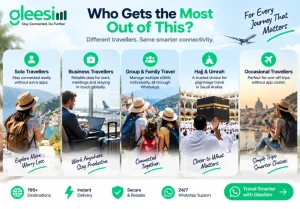
The WhatsApp model tends to matter most for trips where you don’t want another app cluttering your phone for a one-off use case — group trips, business travel, or pilgrimage travel. GleeSim, for example, is a popular option for connectivity during Hajj and Umrah in Saudi Arabia, and for families or groups who want to manage several eSIMs individually rather than through one shared account.
Use code GLEE10 when purchasing via WhatsApp
No registration required Purchase as a guest Under 2 minutes Buy & manage directly via WhatsApp
Save 10% with GLEE10
No — a standard personal WhatsApp account is all that’s required to buy, activate, and manage a GleeSim eSIM.
No. Pricing is the same whether you buy as a guest via WhatsApp or through the website as a registered user.
Yes. The website offers a fully separate route through account sign-up for travelers who’d rather not use WhatsApp for purchases.
Text GleeSim on WhatsApp now to see live plans for your destination and get your QR code sent straight to the chat. Use code GLEE10 for 10% off.