Picture this: you are two hours into the Arbaeen walk, the crowd is enormous, your phone shows one bar of signal and 10% battery. Your group leader is three streets ahead. You have no idea which tent is yours for the night. And your data just ran out.
This happens to thousands of pilgrims every year. Not because Iraq has bad connectivity, but because most people arrive without a plan for managing data during one of the world’s largest human gatherings.
This article will help you understand exactly how to stay connected on the Arbaeen pilgrimage while conserving cellular data. After reading it, you can make a confident decision on which data plan to bring, which apps to use, and how to stay in touch with your caravan without burning through your gigabytes by noon on day one.
Why Data Runs Out So Fast During Arbaeen
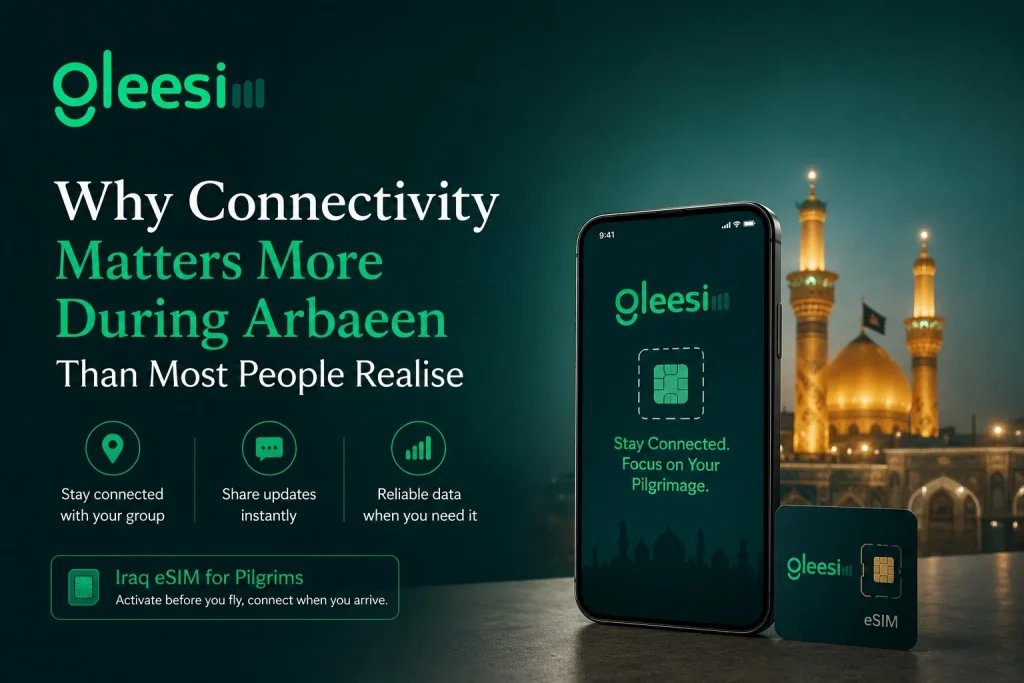
Twenty million people walking the same road creates network congestion unlike anything you experience at home. Apps that quietly work in the background during normal life start failing and retrying constantly in high-density crowds. That silent retry loop eats data fast. Very fast.
But network congestion is only half the problem. The other half is your own phone. Here are the four biggest data drains that pilgrims do not notice until it is already too late:
Writer note: Switch all four of these off before the first day of walking. It takes five minutes and can save several gigabytes over the full trip.
Which Messaging Apps Use the Least Data During the Walk?
The short answer: WhatsApp text messages use almost nothing. A full day of WhatsApp text chat for a typical pilgrim uses less than 1MB of data total. Voice notes are slightly heavier but still light enough to use freely. WhatsApp voice calls use roughly 0.5MB per minute, which is far cheaper than traditional phone calls charged through international roaming.
Here is a clear breakdown by app and activity so your writer can give readers real numbers:
| Activity | Approx. data per minute |
| WhatsApp text messaging | Less than 0.01MB |
| WhatsApp voice note (sending) | 0.2MB per minute of audio |
| WhatsApp voice call | 0.5MB per minute |
| WhatsApp video call | 5 to 8MB per minute |
| Telegram text messages | Less than 0.01MB |
| Standard call over international roaming | Charged per minute by carrier |
| YouTube video at 360p quality | 5MB per minute |
Keep communication to WhatsApp text and voice notes during the walk. Save calls for emergencies. Avoid video calls entirely when signal is weak, because a failed video call still consumes data during the connection attempt.
One important note for GleeSim users: GleeSim Iraq eSIM plans connect directly to Asiacell, Zain, and Korek local networks. Your WhatsApp usage runs at local Iraqi data rates, not international roaming rates. That single difference can cut your per-message cost by up to 90% compared to leaving your home carrier’s roaming switched on.
How to Share Your Live Location With Your Group Without Draining Battery or Data
WhatsApp Live Location is the most practical tool available for pilgrim group coordination during Arbaeen. It lets your group leader or family members at home see exactly where you are on a map in real time, and it uses far less data than sending repeated location pins manually throughout the day.
To turn it on: open WhatsApp, go to any chat or group, tap the attachment icon (the paperclip or plus sign depending on your phone), select Location, then tap Share Live Location. Choose a duration: 15 minutes, 1 hour, or 8 hours. For most pilgrims, 1 hour at a time is enough for regular check-ins without constant battery drain.
A few practical tips that most pilgrims miss:
Local Iraqi SIM vs International Roaming vs eSIM: Which Is Cheapest for Arbaeen?
This is the question that matters most before you fly. The cost difference between your three main options is not small. It is the difference between spending more than $200 on data for a two-week Ziyarah trip or spending less than $15.
| Option | Daily cost | Setup | Top up mid-walk? | Verdict |
| International roaming (home carrier) | $12 to $30 / day | Already active | Auto, but expensive | Avoid |
| Local SIM at Baghdad airport | $3 to $8 / day | Queue + ID required | Find a shop in Karbala | Acceptable |
| GleeSim Iraq eSIM (Arbaeen plan) | From $0.80 / day | QR code via WhatsApp in 60 sec | One WhatsApp message | Recommended |
International roaming is the most expensive option by a wide margin. Most European and North American carriers charge per-day roaming fees that add up fast on a 10-day trip. Roaming networks also often throttle speeds abroad, making the service worse during already-congested Arbaeen gatherings in Karbala.
Buying a local SIM at Baghdad airport is cheaper, but it comes with real friction: long queues on your arrival day when you are already tired, a language barrier at the counter, and the need to find a physical shop in Karbala to top up if you run out. During Arbaeen, those shops have long queues too.
A GleeSim Iraq eSIM Arbaeen plan solves both problems. You buy it before your flight. The QR code arrives on WhatsApp in 60 seconds. You scan it at home. You land in Baghdad already connected to Asiacell, Zain, or Korek. If you run low on data during the walk, you send one WhatsApp message to GleeSim. Data is added to your active plan within minutes. No new plan, no new QR code, no leaving the route to find a shop.
What Offline Maps Work Best for the Arbaeen Route?
Downloading offline maps before you leave is one of the most practical things you can do as an Arbaeen pilgrim. It costs nothing, takes about ten minutes, and protects you completely during moments of network congestion when live navigation fails.
Three apps worth knowing about:
Download the specific area around Karbala, Najaf, and the route between them. Do not download all of Iraq as a single region. The country-level download is too large to be practical and wastes storage on your device.
If you do have data while walking, Google Maps live navigation uses roughly 5MB per hour. On a GleeSim Iraq Ziyarah plan, that covers more than 400 hours of live navigation, which is more than enough for any full Ziyarah itinerary.
Before You Leave: 5 Phone Settings to Switch Off Right Now
Do these five things before you board your flight. Each one protects your data and extends your battery during the walk:
Frequently Asked Questions
Are there free Wi-Fi hotspots along the Arbaeen route?
Yes, some volunteer mawkibs provide Wi-Fi tents along the route between Najaf and Karbala. However, coverage is not consistent and speeds drop sharply during peak hours when thousands of pilgrims are concentrated nearby. A personal data plan is far more reliable for group coordination and emergency communication during the walk.
Can I use my home carrier’s roaming in Iraq during Arbaeen?
Yes, most international carriers work in Iraq. But roaming rates of $12 to $30 per day add up very quickly on a 10 to 15-day Ziyarah trip. Many carriers also throttle roaming connection speeds, which makes service even less reliable during already-congested gatherings in Karbala.
Should I use a portable Wi-Fi hotspot or individual data plans for a group walking together?
For Arbaeen specifically, individual data plans are more reliable. A single shared hotspot becomes a single point of failure: if the device runs out of battery or the person carrying it moves away from the group, everyone loses connectivity simultaneously.
Which apps drain the most data during the Arbaeen march?
YouTube, Instagram Reels, and live Google Maps navigation are the three biggest data drains. Auto-playing video in WhatsApp group chats is a close fourth. Switch off background app refresh and auto-download media on all of these before starting the walk each morning.
Can I top up my data plan if I run out during the walk?
With a GleeSim Iraq eSIM, yes. Send one WhatsApp message to the GleeSim support number and additional data is added to your active eSIM profile within minutes. No new plan, no new QR code required. Your connection continues without interruption.
The Smartest Way to Arrive in Karbala Already Connected
Millions of pilgrims walk to Karbala every year and the ones who have the smoothest experience all share one habit: they sort their data before the flight, not after landing in Baghdad.
The easiest way to do that is a GleeSim Arbaeen plan: a 30-day Iraq data bundle connected to Asiacell, Zain, and Korek local networks, managed entirely through WhatsApp, with no app to install and no SIM card to swap. Your QR code arrives on WhatsApp in 60 seconds. You scan it at home. You land already connected.
And if you run low on data mid-walk, one WhatsApp message is all it takes to top up.
| Ready to walk to Karbala with one less thing to worry about?View all GleeSim Iraq eSIM Arbaeen plans | Buy your plan now at offers.gleesim.com/iraqQR code on WhatsApp in 60 seconds. No app. No airport SIM queues. No roaming bills. |