The modern Hajj journey is planned almost entirely in advance. Flights are booked online. Boarding passes live inside a phone. Hotels are confirmed weeks ahead. Yet mobile connectivity, the one thing pilgrims need the moment they land, traditionally gets solved last, usually in a queue at the airport. That is changing. More travellers now activate their Saudi Arabia eSIM before departure specifically so connectivity is one less thing to think about after a long flight.
The reason is simple. Airports during Hajj season are overwhelming. Pilgrims are tired, focused on finding their group, and managing luggage. That is exactly the wrong moment to be searching for a SIM card counter.
Here is something worth knowing before you compare providers: the eSIM technology itself never required an app. QR-code installation is built directly into the operating system of every modern iPhone and Android device. Apple and Google designed it to work natively.
Native eSIM activation means the installation happens inside your phone’s own Settings menu, using a QR code, rather than through a separate app you have to download first. The standard was built this way from the start.
So when a provider asks you to download an app before you can use your plan, that is an extra layer the technology never needed. For Hajj specifically, that extra layer creates real friction: storage that’s already full of offline maps and Quran apps, a login you have to remember at 4am in Mina, and an app that might demand a mandatory update exactly when the network is too congested to download one.
GleeSIM skips all of that. The process is:
One requirement worth knowing: your phone needs to be carrier unlocked. If you bought it directly or SIM-free, it almost certainly already is. If it came through a carrier contract, a quick check with them confirms it.
Activation is only half the picture. The other half is whether the signal holds up where you actually need it.
Makkah al-Mukarramah: Coverage around Masjid al-Haram, the Zamzam area, and Safa and Marwa, including during peak Tawaf periods when the area is at its most crowded.
Madinah al-Munawwarah: Reliable connectivity around Masjid an-Nabawi and Quba Mosque throughout the Madinah portion of the trip.
Jeddah: Coverage at King Abdulaziz International Airport and across the city, your likely arrival and departure point.
Mina: Signal throughout the valley for the Days of Tashreeq.
Arafat: Coverage on the plains during the Day of Wuquf, the spiritual peak of the pilgrimage.
Muzdalifah: Coverage through the overnight stop between Arafat and Mina.
|
GleeSIM |
Typical app-based provider |
|
|---|---|---|
|
App required to activate |
No, uses phone settings directly |
Usually mandatory |
|
App required to manage or top up |
No, browser works fine |
Usually app-only |
|
Works if your phone storage is full |
Yes |
Often blocked |
|
Works if the provider’s app servers go down |
Yes, native eSIM keeps running |
May lose access |
|
Behavioural data collected by an app |
No app, nothing to collect |
Often yes |
For a trip where reliability and simplicity matter more than extra features, skipping the app layer entirely is the safer choice.
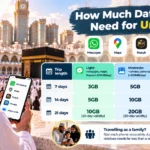
Hajj typically runs 7 to 14 days, and the right plan depends on how you actually use your phone.
Light use, mostly WhatsApp messaging, maps, and basic browsing, comfortably fits in 3 to 5 GB.
Moderate use, adding social media and occasional video calls, is better served by 5 to 10 GB.
Heavy use, including frequent video calls or sharing a hotspot with your group, calls for 15 GB or more.
When choosing between two plan sizes, take the larger one. Running out of data during an important moment costs more than the small difference in price upfront.
Install your eSIM before departure while you still have reliable home Wi-Fi. Carry a power bank, since long days at the holy sites drain batteries fast. Download offline maps as a backup for the moment’s signal. If you’re sharing a hotspot across a family or group, use it deliberately rather than leaving it running constantly, since that is what burns through data fastest.
Do I need to create a GleeSIM account to buy the eSIM?
No. You can complete the checkout and receive your QR code without setting up a permanent account.
What if I delete the email with the QR code after installing it?
Once the profile is installed on your device, the QR code itself is no longer needed. It’s saved to your phone’s hardware, not the email.
Can I manage my plan without ever opening an app?
Yes. Data usage is visible in your phone’s own cellular settings, and top ups run through GleeSIM’s website in any browser.
Does GleeSIM work immediately after I land?
Yes, once activated it connects automatically as soon as your phone detects a Saudi network.
Will it work in Makkah, Madinah, Mina and Arafat specifically?
Yes, coverage extends across all of the main pilgrimage sites, including Muzdalifah.
Can I share my connection with family members through a hotspot?
Yes, most plans support tethering, which makes one plan workable for a small group.
Do I need to remove my regular SIM to use this?
No. Your home SIM stays active for calls while the eSIM handles data, using your phone’s dual SIM support.
Which phones support this kind of activation?
iPhone XS and later, Samsung Galaxy S20 and later, and Google Pixel 3 and later all support native eSIM QR activation.
There are hundreds of decisions between now and your first day in Makkah. Connectivity does not need to be a complicated one. A QR code, scanned before you fly, using nothing but your phone’s own settings, means you land already connected instead of searching for a SIM counter while exhausted from the flight.
See GleeSIM’s Saudi Arabia eSIM page for current bundle pricing, or explore GleeSIM’s Iraq eSIM if Ziyarah is part of your route. When you are ready, get your bundle on offers.gleesim.com and have it installed before you board.