Running low on data while already abroad and not sure how to add more without hunting for wifi to download something new? This article walks through exactly how a mid-trip top-up works while you are already traveling, what to expect in terms of timing, and what your options are if you are somewhere with genuinely weak signal when you notice you are running low.
Current GleeSim customers already abroad and noticing their data allowance getting close to empty, wanting a clear answer on how quickly they can add more without interrupting their trip or scrambling to find a solution mid-itinerary.
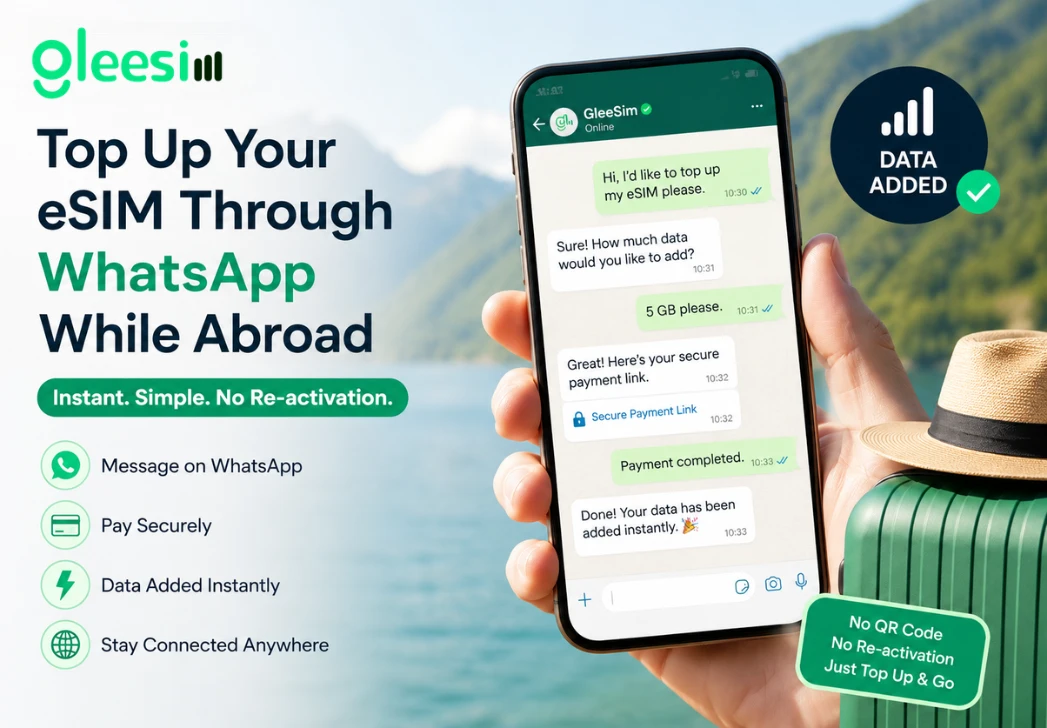
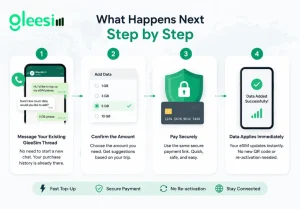
Most phones show a data usage warning as you approach your plan’s limit, giving you a heads-up before you actually run dry. The moment you see that, open the same WhatsApp thread you used to buy your original plan and simply message that you would like to add more data, there is no need to explain your situation from scratch since your purchase history is already sitting right there in the conversation.
Multi-IMSI switching: a technical feature that can let one eSIM profile connect through more than one network partner, sometimes relevant when adding data or extending coverage into a neighboring country mid-trip rather than just adding more of your current country’s allowance.
Being abroad with a nearly-dead data plan is a worse moment to be navigating an unfamiliar app login than being at home with time to spare and a stable wifi connection to fall back on. A WhatsApp-based top-up means you are working inside an app you already have open, with no new password to remember and no new download competing for storage space on a phone that may already be full of trip photos and boarding passes.
Even a brief, weak connection is usually enough to send a short WhatsApp message and receive confirmation, since the message itself is small and does not require sustained bandwidth the way a video call or large download would. If you are somewhere with genuinely no signal at all, moving to the nearest town, viewpoint, or cafe with coverage to send the message is the practical workaround, the same limitation any provider would face in a true dead zone regardless of how their top-up system works.
Some travelers prefer to buy a larger plan upfront specifically to avoid the need for a mid-trip top-up altogether, while others prefer to start smaller and add as needed once they have a better sense of their actual usage. Both approaches work equally well with GleeSim’s system, since topping up mid-trip is just as fast as the original purchase, there is no real penalty for starting conservative and adding later if you would rather not overestimate your needs upfront.
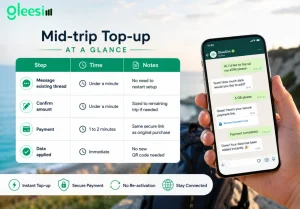
| Step | Time | Notes |
| Message existing thread | Under a minute | No need to restart setup |
| Confirm amount | Under a minute | Sized to remaining trip if needed |
| Payment | 1 to 2 minutes | Same secure link as original purchase |
| Data applied | Immediate | No new QR code needed |
Do I lose my remaining data balance when I top up? No, added data stacks onto your current allowance rather than replacing it, so nothing you have already paid for goes to waste.
Can I top up for a country I am not currently in, in case my trip extends there next? Yes, message the new destination and GleeSim can add that coverage to the same plan ahead of you crossing the border, so it is ready the moment you arrive.
Is there a limit to how many times I can top up on one trip? No practical limit, travelers on longer trips commonly top up more than once as their itinerary develops and their actual usage becomes clearer.
Will topping up interrupt my current connection even briefly? No, the additional data applies to your already-active eSIM profile without requiring a fresh installation or reactivation, so your connection stays live throughout.
What if I am asleep or it’s the middle of the night when I run low? Message the thread whenever it happens, GleeSim’s WhatsApp support is not limited to business hours in a single time zone the way some app-based ticket systems are.
Is it better to buy a bigger plan upfront or top up as needed? Both work well, some travelers prefer the certainty of a larger upfront plan, others prefer starting smaller and topping up once actual usage becomes clear, neither approach carries a meaningful penalty with GleeSim’s system.
Manage your plan anytime at offers.gleesim.com or learn more on the GleeSim resources page.
Use code GLEE10 when purchasing via WhatsApp
No registration required Purchase as a guest Under 2 minutes Buy & manage directly via WhatsApp
Save 10% with GLEE10